
However, these are not the most likely causes. This article will focus on exploring the potential reasons behind this issue.
What Is The DTF PET Film Color Deviation Phenomenon?
Color deviations commonly observed in DTF PET film printing are generally categorized as pre-print and post-print deviations. This blog post primarily focuses on a comprehensive discussion of these two types. Below, I will elaborate on each:
The First Phenomenon
Pre-print color deviation mainly refers to color discrepancies that occur when ink is applied to the film. This type of deviation is often clearly visible, with colors appearing either too light or too dark.
It is typically related to the printhead and print settings. Regarding the printhead, it may be clogged, leading to a reduced output of ink. As for print settings, the ink output volume may have been set too low, especially for the white ink layer.
Reducing the proportion of white ink makes the overlaid color layers appear more sparse, resulting in color deviation.
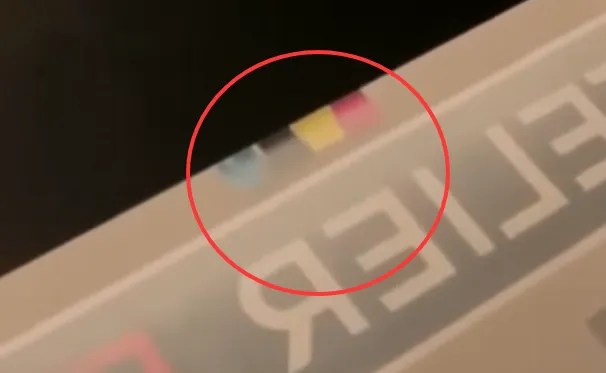
In the image below, it is evident that the white within the red circle is not bright enough and has a yellowish tint. Consequently, the colored inks are not fully displayed and appear more transparent.
The Second Phenomenon
So, what is color deviation in post-processing? It also falls into two categories:
First, the ink layer on the film changes color after applying and baking the hot melt powder. This change is usually related to the temperature and duration of baking the hot melt powder, as well as the quality of the powder.
For more information on the importance of baking temperature and time for hot melt powders, read this article: How To Cure DTF Powder With Oven?
It may even be related to the compatibility between the ink and the hot melt powder.
Second, color deviation can occur after the final transfer onto the substrate. This deviation may be related to the material of the substrate itself, suggesting that the DTF process might not be suitable for printing on this particular fabric.
It could also be due to the quality of the film itself, which is not apparent during the pre-printing stage.
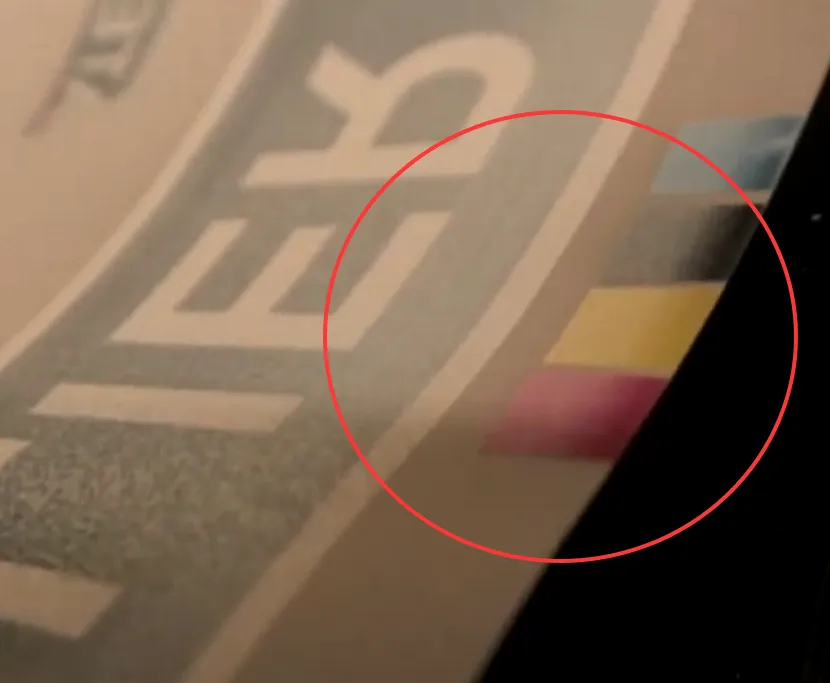
The image below shows an example of color deviation after printing. Within the red circles, you can see that some of the colors still appear dull.
Cause #1 — Software Settings Are Misconfigured
When printing software is not properly configured, the original colors of an image cannot be reproduced. Generally, before using printing software for configuration, you need to load the corresponding ICC profile for your printer. Different printers have different ICC profiles due to variations in manufacturer calibrations.
If you don’t pay attention to this crucial point when configuring the software, and you proceed with printing configurations based on the colors displayed in the software, the actual printed colors will differ from the original.
Furthermore, if the image differs from the previous one but you still use the previous image’s printing configuration, color deviations will still occur.
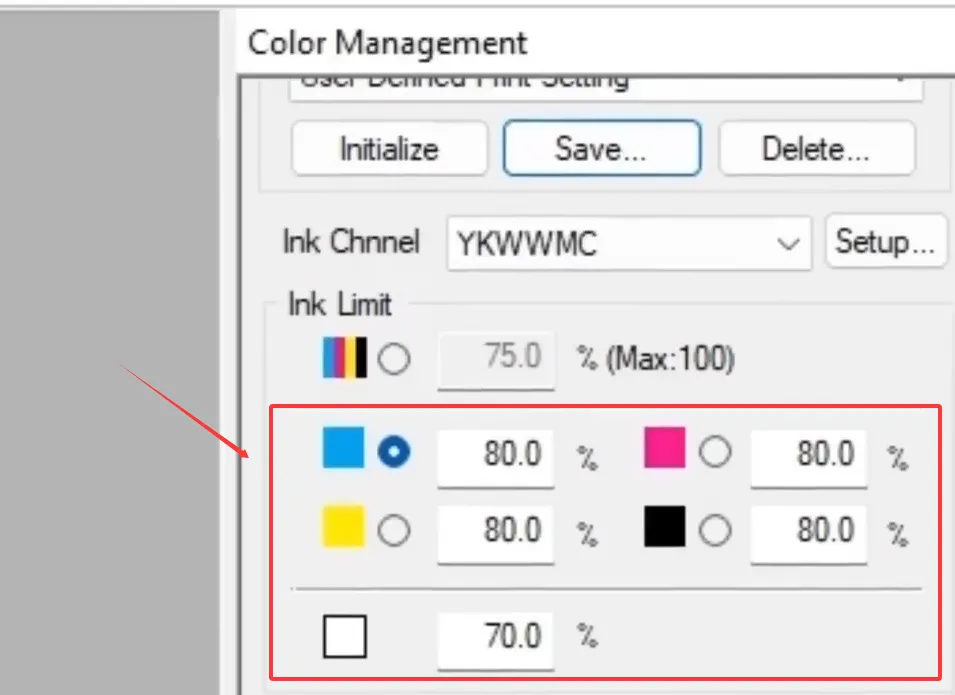
If your ICC profile matches the current printing requirements, then the ink output limitation settings you apply, as shown in the image, will result in accurate output.
Cause #2 — The Printer’s Loaded ICC Doesn’t Match
As I mentioned above, ICC profiles are strongly associated with printing software.
What is an ICC profile? You can think of it as a color profile. An ICC curve allows the colors seen on the screen to more closely match the printed colors. The key point is that it can effectively avoid color deviation!
The reason why printers must be configured with ICC curves is that each DTF printer has a different output method. In terms of equipment, different manufacturers have different configurations, and the same applies to consumables.
Most importantly, various RIP software programs use different color algorithms. Mismatched ICC curves will limit the actual amount of ink color output by the software.
ICC curves correct these differences by testing and printing color blocks → reading them → establishing a curve, allowing the printer to output accurate colors under specific conditions.
Cause #3 — PET Film Coating Defects Create Streaks In Gradients
The above two points mainly discussed software issues. Next, let’s talk about the hardware problems that are most likely to cause color deviation when ink is printed on the film, namely, the quality issues of the film.
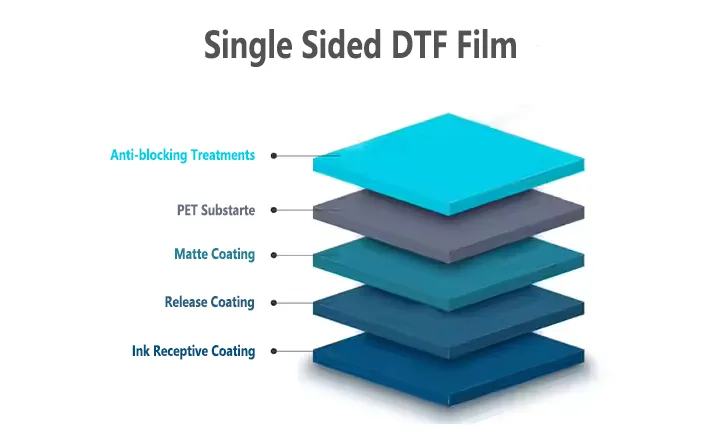
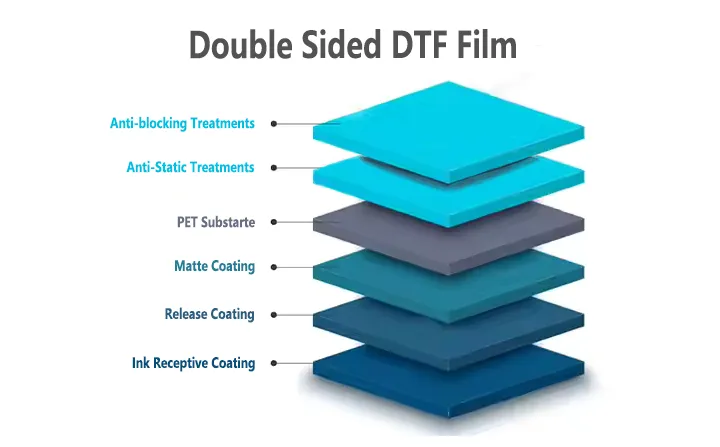
The key reason why DTF ink can be printed on the film is the coating on the film. This coating is called the ink-absorbing layer, which, as the name suggests, is used to absorb ink.
However, different brands of film have different coating production methods, which means that there must be quality differences between them. The most obvious difference lies in the amount of ink loading!
If the ink loading of the film is different from your configured printing settings, it may not be fully absorbed, resulting in color deviation. It is even possible that the ink will flow on the film and cannot be adsorbed. See also: What is White Ink Buildup on DTF Film and What is The DTF Film Ink Bleed Problem?
The thickness of the film is related to the performance of its coating. Thicker films have advantages when processing images with complex colors, while thinner films can increase production speed and save material costs and consumption.
Color Deviation Solutions
The above are some possible causes. To accurately diagnose the problem, you’ll need to do some hands-on testing. Here are a few viable methods I suggest you try while keeping careful records and observing the results.
Adjust The Software/RIP Control Program
One step in adjusting your software settings involves assessing the extent of color deviation. Once you start noticing that the colors in your prints are off, begin by documenting your current color proportions and then adjust them accordingly to see if you can achieve a complete design output.
You can control the upper limits of single channels and total ink volume, adjust the printing method, position, and thickness of white ink, and fine-tune color channels and gray balance for CMYK colors to correct color casts.
These are all software-controllable aspects. However, if you find that the color deviation persists even after adjustments and documentation, the issue may not be related to the software configuration.
Reconfigure The ICC/Driver Or Replace It
When you’ve exhausted all software setting adjustments and the color cast issue persists, it’s time to consider the ICC profile configuration. Reinstalling the ICC driver might seem like a solution, but it’s often ineffective.
Consider requesting a standard ICC profile from your printer or ink supplier, clearly explaining the color cast problems you’re experiencing.
A common misconception is that ICC profiles are universally compatible. This is not the case. While an incorrect ICC profile won’t prevent printing, the resulting ink volume will be unpredictable. You’ll need to assess whether the print is too light or too dark.
Try Replacing The Consumables
If the above two methods of changing software settings don’t work, the next thing you can consider is replacing the consumables directly. To save some money, I recommend you replace the film first and see how the new DTF film performs under the same printing settings and ink.
If the color cast problem is corrected, it means the film you were using before wasn’t suitable for you.
If the color cast problem persists after replacing the film, then consider testing with a new brand of ink. Ink tends to become thinner after its expiration date. New ink usually doesn’t have an expiration date issue, so it can better test the color cast.